01
Insurance
Claims forms and policy documents at a volume and accuracy a manual team cannot keep up with.
Invoices, contracts, and forms become structured data automatically — platform-agnostic, not locked to one cloud vendor.
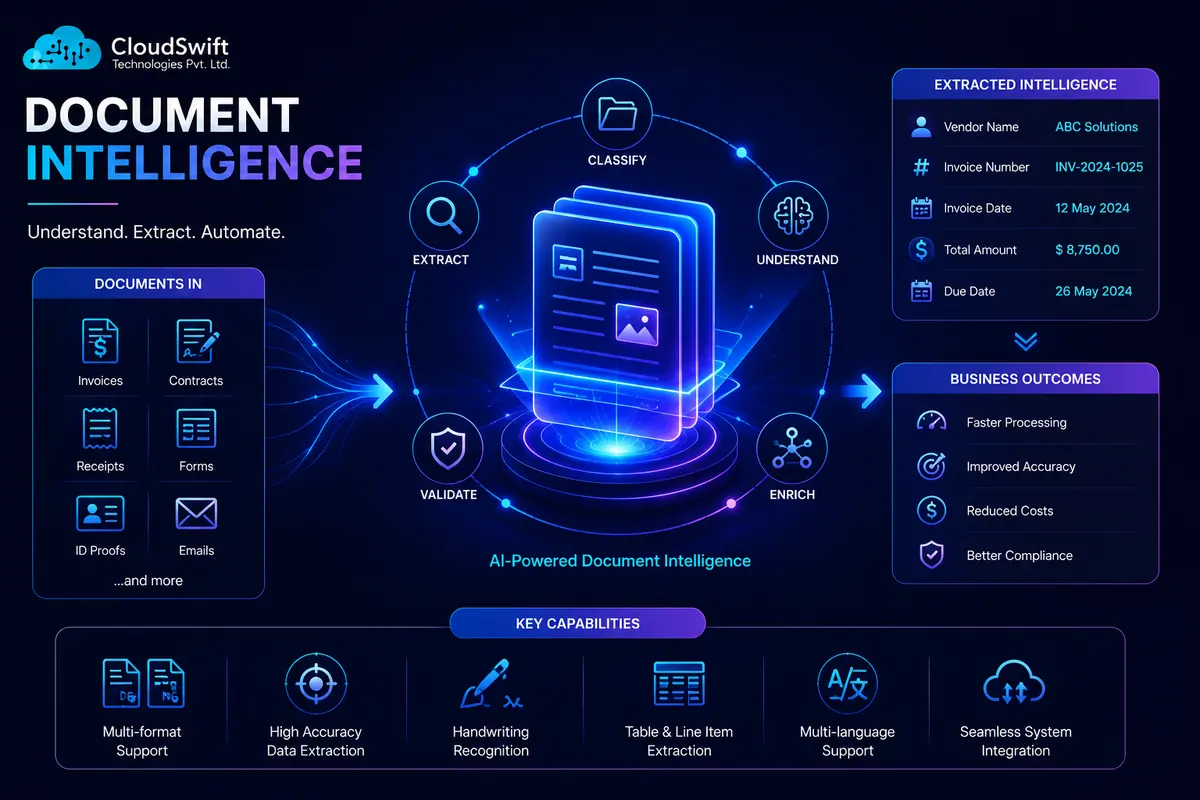
Every business runs on documents. Invoices, contracts, claims forms, ID documents, applications — and somewhere along the line, most of that information still gets typed in by hand. Document intelligence, also known as intelligent document processing, is what changes that.
It uses AI to read a document, work out what kind of document it actually is, pull the specific fields that matter, and double-check that what it extracted actually makes sense before any of it touches your systems of record.
This is not locked to one cloud vendor's product. It is a platform-agnostic way of solving the same underlying problem, whatever tools end up doing the work underneath. Related work: AI Workflow Automation, Enterprise Chatbots, AI Model Deployment.
Most teams that start looking into this recognize the pattern immediately.
Scans, emailed forms, and attachments get retyped by hand.
The queue grows. Headcount does not.
A mispaid invoice or a misfiled claim shows up later, and it costs more than the keystroke.
The data inside is what the business needs — reporting cannot see it.
The bottleneck is the documents, not the people working through them.
Document intelligence is AI that automatically classifies, extracts, and validates data from documents — and it goes well past what basic OCR ever did.
OCR just turns an image of text into machine-readable text; it has zero idea what it is actually looking at. Document AI and intelligent document processing take it further. They recognize the document type — an invoice versus a contract versus a claims form — pull out whichever fields matter for that type, and flag anything that looks off before anyone trusts it.
That is the distinction people ask about most. OCR reads the page. Document intelligence understands it.
| Technology | Role | Use case | Benefit |
|---|---|---|---|
| Cloud-native document AI | Managed extraction and classification from major clouds | Azure Document Intelligence, Google Document AI, AWS Textract | Fast to stand up, models that keep improving |
| Specialist IDP platforms | Purpose-built document processing, often with pre-trained types | ABBYY, Rossum, Docsumo | Deep specialization on document-specific extraction |
| RPA-integrated document processing | Extraction folded into broader robotic process automation | Teams already running UiPath or similar | One platform for extraction and the resulting action |
| Open-source and custom models | Fine-tuned models for non-standard document types | Specialized documents off-the-shelf models handle poorly | Control, and no per-document license cost at scale |
| Validation and business-rule engines | Checks extracted data against expected patterns | Catching errors before they reach downstream systems | Turns “probably right” into data you can trust |
The mix is chosen for your documents — cloud-native, specialist IDP, RPA, or custom — not whichever tool is easiest to sell.
Claims forms and policy documents at a volume and accuracy a manual team cannot keep up with.
Invoices, loan applications, and KYC documents with a full audit trail.
Key terms and obligations pulled from contracts at scale during review or diligence.
Patient intake forms and records digitized without sacrificing the accuracy clinical use demands.
Select a stage to read how it runs.
Find which document types cause the most manual work and where the real volume sits.
Who can see sensitive document content is controlled.
Every extraction and validation step is recorded.
Configurable data retention aligned to your industry requirements.
Extraction feeds a human-reviewed process. It does not replace the judgment call at the end. Named certifications are cited only where verified.
You are not locked into one cloud vendor's document AI because that is where the project started.
The data you get back is meant to be trustworthy, not just plausible-looking.
Cloud-native, specialist, or custom models — chosen for the documents, not the easiest sale.
Document intelligence is the use of AI to automatically classify, extract, and validate data from documents, turning unstructured content into structured, usable data.
Intelligent document processing, often abbreviated IDP, is essentially the same concept as document intelligence, using AI to read, classify, and extract data from documents automatically.
Automated document processing is the broader umbrella including rule-based systems; intelligent document processing specifically uses AI to classify and understand documents, handling variation far better than fixed-rule automation.
Common challenges include handling variable or poor-quality documents, achieving trustworthy extraction accuracy, integrating with legacy systems, and the upfront work of training models against specific document types.
OCR converts an image of text into machine-readable text without understanding the document; intelligent document processing classifies the document type, extracts relevant fields, and validates the extracted data.
Document AI refers to the broader field of using artificial intelligence, including OCR, machine learning, and NLP, to read, interpret, and extract information from documents.
No, this service is platform-agnostic and can use Azure, Google, AWS, open-source, or custom extraction models depending on what fits the documents best.
The right choice depends on document types and volume, with cloud-native tools working well for standardized documents and specialist platforms often handling complex or varied sets better.
Modern document intelligence tools can extract handwritten text with reasonable accuracy, though results vary more than typed text, making validation especially important.
Accuracy depends on document quality and consistency, with well-trained models on standardized documents commonly reaching high accuracy and validation rules catching most remaining errors.
Yes, though accuracy generally improves with cleaner scans, and most modern platforms include preprocessing steps to improve extraction from lower-quality scans.
A document management system stores and organizes documents, while document intelligence extracts and structures the data inside them, and the two are often used together.
Common types include invoices, contracts, claims forms, identity documents, receipts, tax forms, and other structured or semi-structured business documents.
Timelines vary based on document variety and volume, but a focused pipeline for one high-volume document type can often go live within a few weeks.